Releases & App Review
Prepare new versions, attach builds, update release information, and manage App Store review submissions through supported agent workflows.
FlightDeck connects your AI coding agent to App Store Connect through a local MCP server. Let your agent manage releases, metadata, screenshots, localization, ASO, and more—while you stay in control.
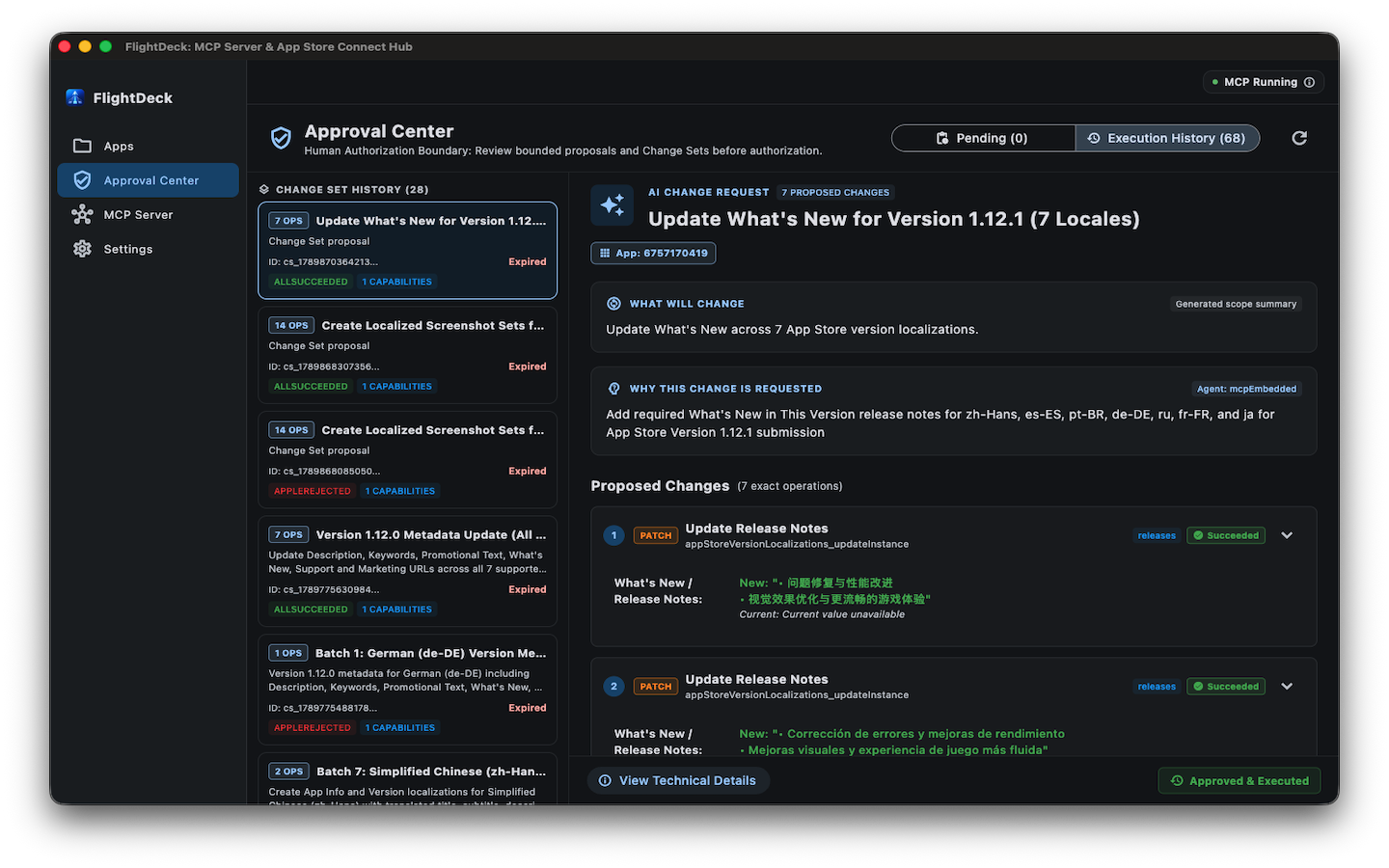
FlightDeck gives your AI agent access to App Store workflows directly from your development process—while you decide what it can do and what requires your approval.
Prepare new versions, attach builds, update release information, and manage App Store review submissions through supported agent workflows.
Update app titles, subtitles, descriptions, promotional text, keywords, URLs, and What’s New release notes across multiple localizations.
Upload and organize screenshot sets across required device display sizes and manage localized store presence for global App Store regions.
Query uploaded builds, inspect processing status, manage internal and external beta groups, and coordinate TestFlight distribution workflows.
Evaluate release readiness before submission and surface missing or incomplete App Store requirements before they become submission blockers.
Keep operations local with sanitized logging, macOS Keychain credential storage, and configurable human approval before mutations contact Apple.
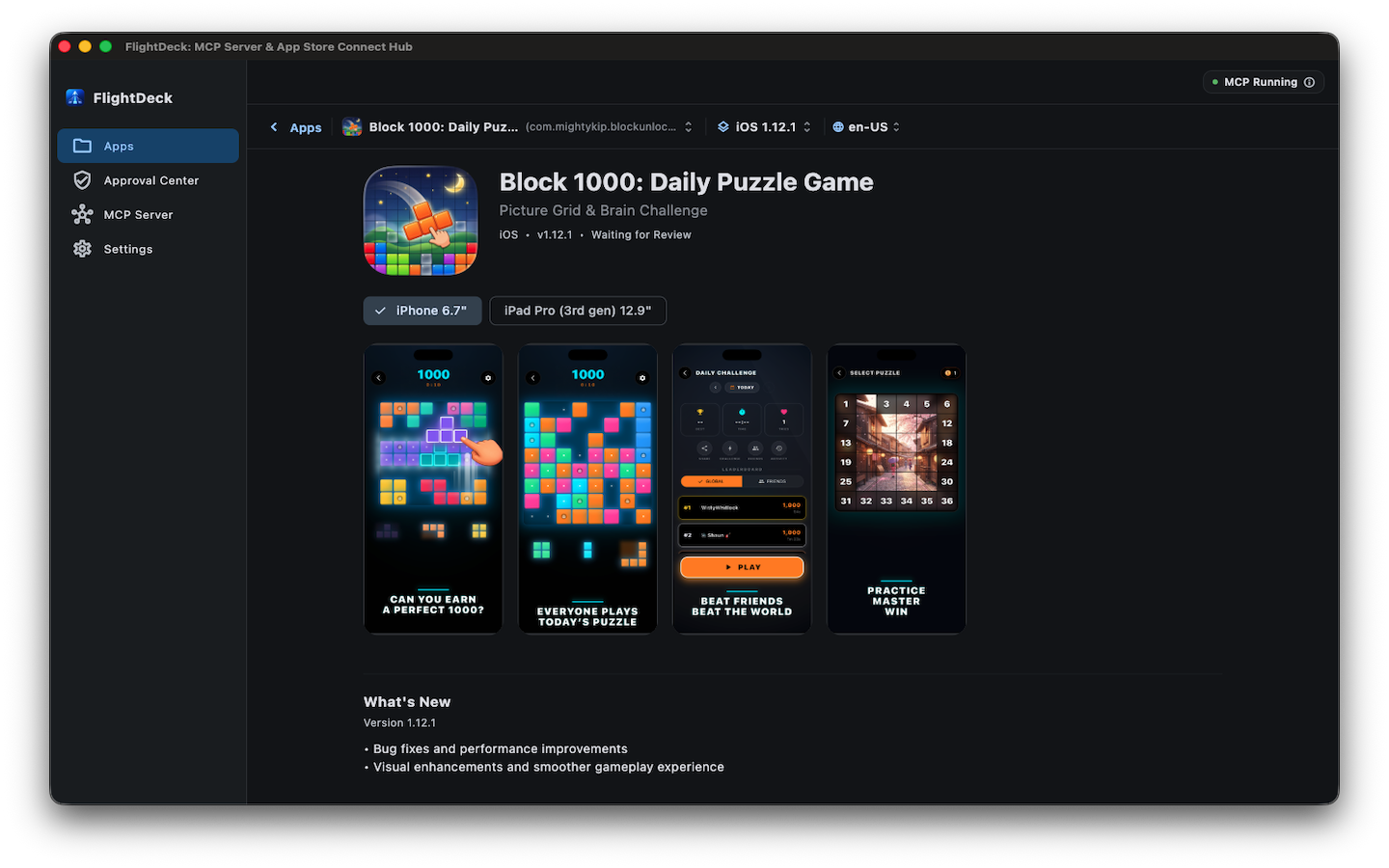
FlightDeck also gives you a visual view of your App Store presence. Browse your apps, inspect metadata and localizations, preview screenshots and storefront content, and review upcoming releases before they go live.
Most SaaS tools require you to paste your private App Store Connect API keys into their cloud databases. FlightDeck rejects that risk entirely.
Local JWT Signing (ES256)
15-minute token lifetime
Apple Official REST Endpoints
Presigned Asset Upload Storage
We do not operate any backend server, proxy, or relay between FlightDeck and Apple. Your requests never touch our servers.
Your .p8 private key is never sent over the network to anyone—not even Apple. Only short-lived locally signed tokens are transmitted.
The networking transport enforces HTTPS and restricts requests to Apple’s verified domains and RevenueCat for subscription validation.
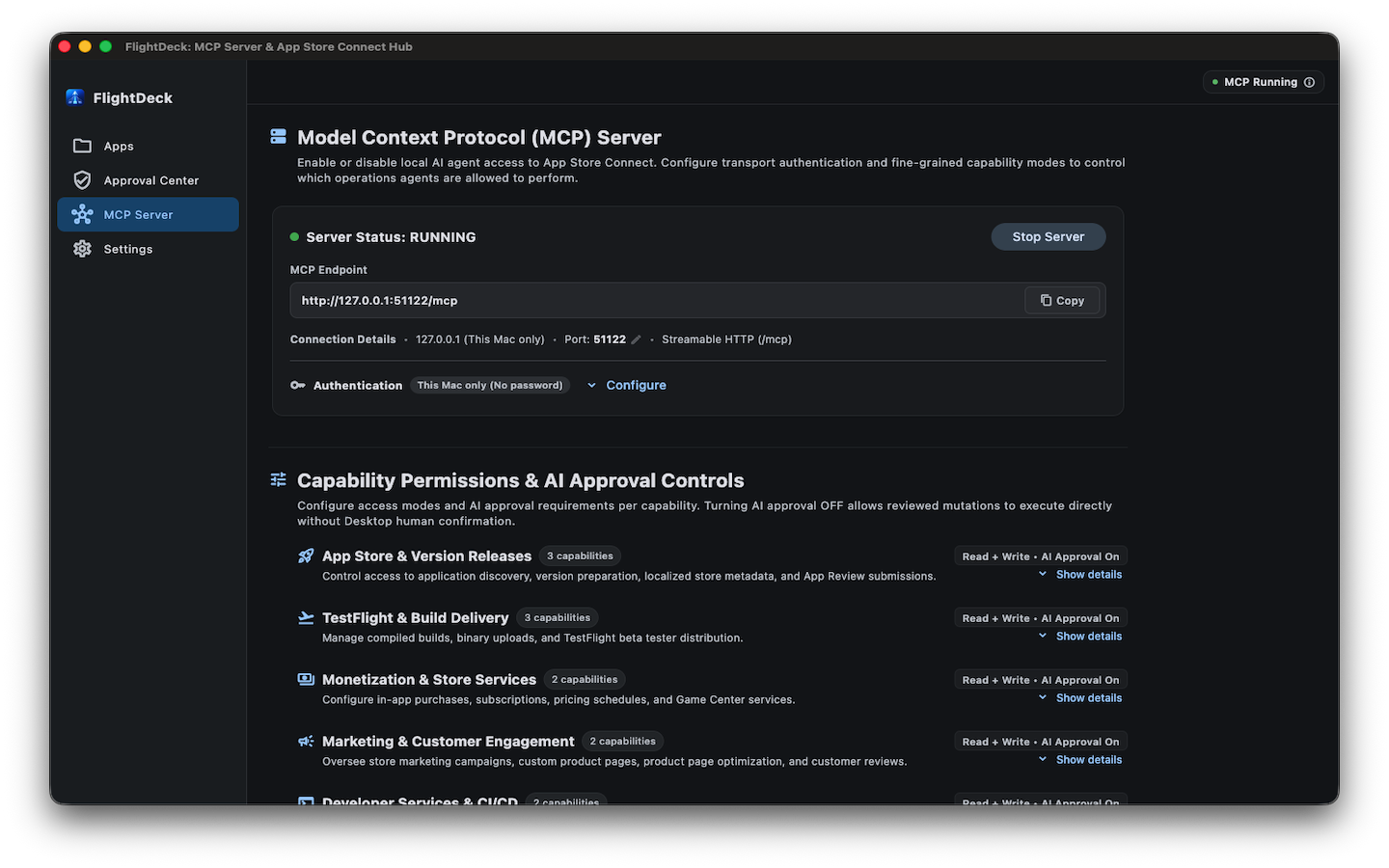
FlightDeck embeds a local Model Context Protocol (MCP) server that connects compatible AI coding agents to App Store Connect. You set fine-grained permissions to determine which operations can execute and which must be staged for review.
The embedded MCP server binds strictly to the local IPv4 loopback interface (127.0.0.1). It does not listen on local network adapters or public interfaces. Other devices on your Wi-Fi or LAN cannot connect.
By default, connections are locked to this Mac without extra setup. When desired, enable password protection to require an authentication Bearer token stored securely in your macOS Keychain.
Configure access modes (Read, Read + Write, Off) and toggle AI Approval per capability. Reviewed mutations can execute directly, or remain staged in the Approval Center for your inspection.
Important Fact: FlightDeck contains zero direct integrations with AI companies (such as OpenAI, Anthropic, or Google). FlightDeck operates strictly as an MCP server. You choose which local AI client to connect, and your credentials are never revealed to the client.
We audited every line of FlightDeck’s implementation before publishing this documentation. Here are the verifiable facts about your data:
Private .p8 API keys are stored in the macOS Keychain (kSecClassGenericPassword) using Apple’s Security framework. Keys are streamed via stdin to avoid command-line argument inspection.
FlightDeck contains no third-party tracking frameworks, analytics trackers, or user behavioral SDKs (no Google Analytics, Firebase, Sentry, Mixpanel, Amplitude, or PostHog). We do not record or transmit your activity.
Pro subscriptions are processed via Apple StoreKit 2 and validated by RevenueCat. RevenueCat receives anonymous StoreKit receipts; it never receives App Store Connect API keys, Issuer IDs, or private keys.
Non-sensitive profile identifiers (Key ID, Issuer ID) are saved in sandboxed preferences. The private key itself is never written to disk, preferences files, or temporary directories.
JSON Web Tokens (JWTs) are signed locally with ECDSA P-256 (ES256) and expire within 15 minutes. They are kept in volatile memory and never persisted to disk.
FlightDeck does not run custom crash uploaders. If an unexpected crash occurs, crash logs are processed solely through Apple’s native macOS system diagnostic mechanisms if opted in by the user.
Following the initial Mac App Store release, this portal will expand into a comprehensive resource center for macOS and iOS developers.
Comprehensive step-by-step guides for API key setup, Claude & Cursor MCP configuration, and release automation.
Curated prompt templates for drafting release notes, reviewing localized store copy, and generating changelogs via MCP.
Direct feature requests, bug submission triage, and public upvoting for upcoming FlightDeck enhancements.
Detailed release notes, API compatibility updates, and architecture write-ups for every FlightDeck version.